

Webhooks are the durable channel. For the same events live on a connection, use the
WebSocket. Real time and data channels compares
the two.
Configuring your endpoint
Set your endpoint URL and the events you want withPUT /v1/webhooks. Viewing the endpoint needs
account:read. Changing it needs account:write. Maker endpoints use mm:quote instead (see
Maker endpoints).
You receive an event only if your key holds the scope that event requires. The scope is re-checked
at delivery time, not just at subscribe time. A
position.settled delivery needs positions:read.
A funds.* delivery needs balances:read.Maker endpoints
Market makers manage a separate endpoint by adding?owner_kind=mm to each webhook call. Viewing
and changing it both need mm:quote, in place of account:read and account:write.
A maker endpoint can subscribe only to the three events a backing maker is party to. Each data
carries the maker’s side of the position:
A
user endpoint, the default, receives your own bettor-side event data from the catalog below.
Event catalog
position.bought_back:amountis what moves between you and the maker on top of your released stake, before the profit fee.mm_pays_usergives the direction. The seller always receives exactly the accepted price.position.transferred: seller side only. Your position was taken over by a winning cashout bid from a maker other than the one backing it.parlay.status_changed: tracks an RFQ’s live progression.statusis one ofaccepted,confirmed,executed, orcancelled.accepted_quote_idis set once a quote is accepted, elsenull. Settlement comes viaposition.settled, and expiry isn’t part of this event, so use theposition.*events for final outcomes.
A cancellation fires both
parlay.status_changed (status: "cancelled") and position.cancelled.
The two carry different event ids. If you subscribe to both, match them on rfq_id.Delivery format
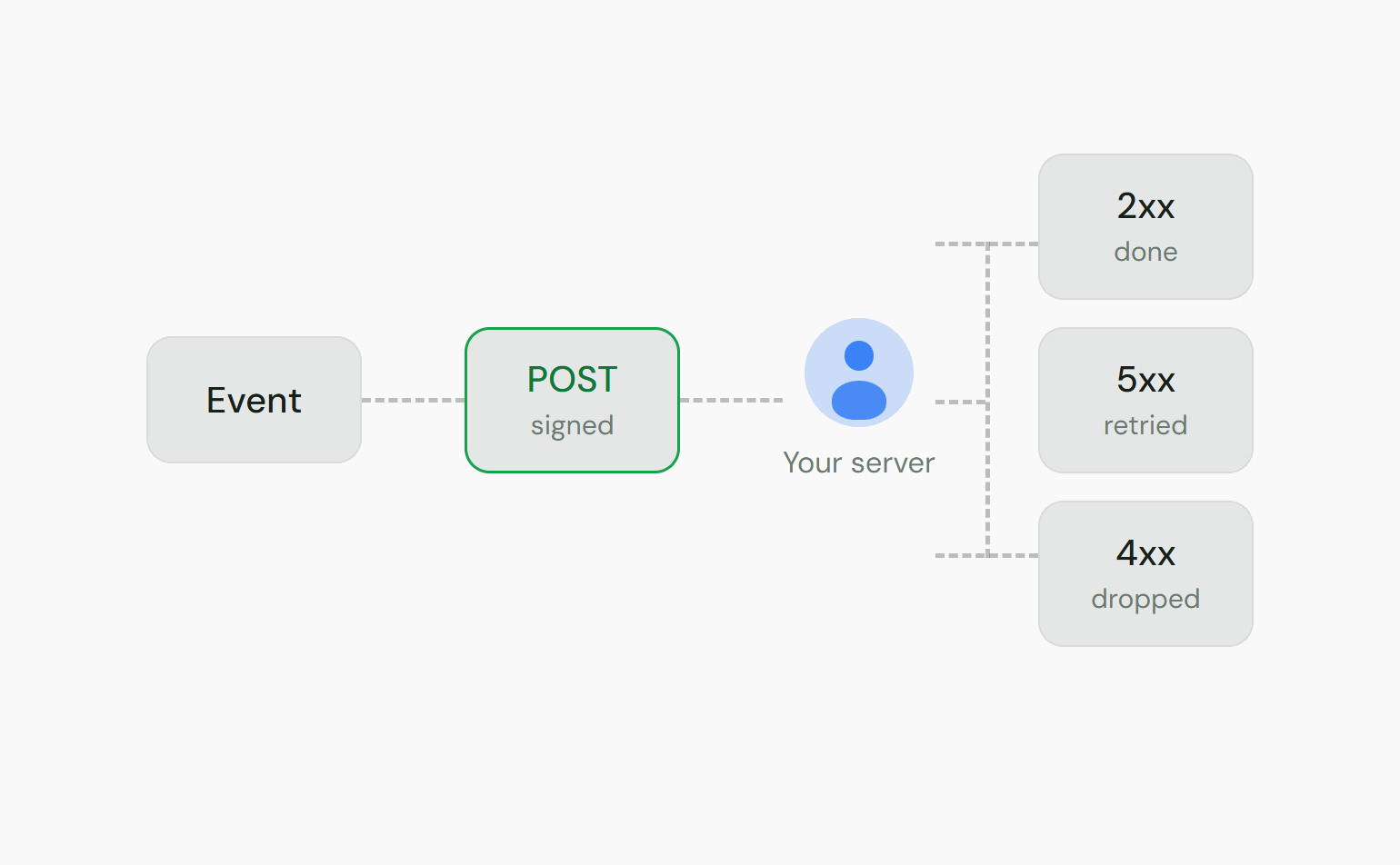
Each delivery is an HTTPPOST with a JSON body and these headers:
The body is a stable envelope:
id, type, and an event-specific data object.
2xx status to acknowledge. Anything else is treated as a failure and retried.
Verifying signatures
TheX-Totalis-Signature header has the form t=<timestamp>,v1=<signature>. The signature is
HMAC-SHA256(secret, "<timestamp>.<raw-body>"), hex-encoded. To verify:
- Parse
tandv1from the header. - Reject if
tis outside your tolerance. 5 minutes either side is a good default. This blocks replay. - Recompute the HMAC over the exact raw request body joined to the timestamp as
t.body. - Compare to
v1with a constant-time equality check.
Idempotency & ordering
- Deduplicate on
X-Totalis-Event-Id. Delivery is at-least-once, so the same event can arrive more than once: a retry of a delivery that actually succeeded, or a replay. Treat the event id as the unique key. - Do not assume ordering. Process each event on its own. Use
occurred_atto reason about sequence.
Retries & failure handling
If your endpoint doesn’t return2xx, the outcome depends on the response:
Return
2xx quickly and do heavy work asynchronously. A slow endpoint that exceeds the delivery
timeout counts as a failed attempt.
Inspecting & replaying deliveries
GET /v1/webhooks/deliveries lists recent deliveries, newest first, with their status, attempt
count, and last response code:
Replaying deliveries
Re-queue adelivered or dead_letter delivery with
POST /v1/webhooks/deliveries/{id}/redeliver. Use it to recover after fixing a bug or an outage on
your side. Replays reuse the same X-Totalis-Event-Id, so your deduplication recognizes them.
A
failed delivery that is still mid-retry cannot be replayed manually. It is already scheduled
for another attempt. Wait for it to land or dead-letter.Rotating your signing secret
Rotate the secret any time withPOST /v1/webhooks/rotate-secret. The new secret is shown once. The
old one stops signing immediately, with no overlap window where both are valid.
1
Rotate during a quiet window
Generate the new secret. Capture it immediately, since it is shown only once.
2
Update your verifier
Deploy the new secret to your endpoint as fast as possible. Deliveries signed with the new
secret fail verification until your verifier has it.
3
Replay anything that failed in the gap
From the deliveries list, replay any
dead_letter deliveries from the swap window, including
formerly failed ones once they exhaust retries. Replays are re-signed with the current secret.