

1. Call the API right now
Market data needs no key and no account:ticker and venue you reference when you build a parlay
leg (one outcome inside a parlay). List markets has the filters for
category, venue, and search.
Everything past this point needs a key.
2. Get an API key
Create a key from the Totalis Dashboard, under account settings, then API keys. Give it only the scopes (permissions) your integration needs. For a read-only start,account:read, positions:read, and balances:read are enough. The full scope catalog is on
Authentication.
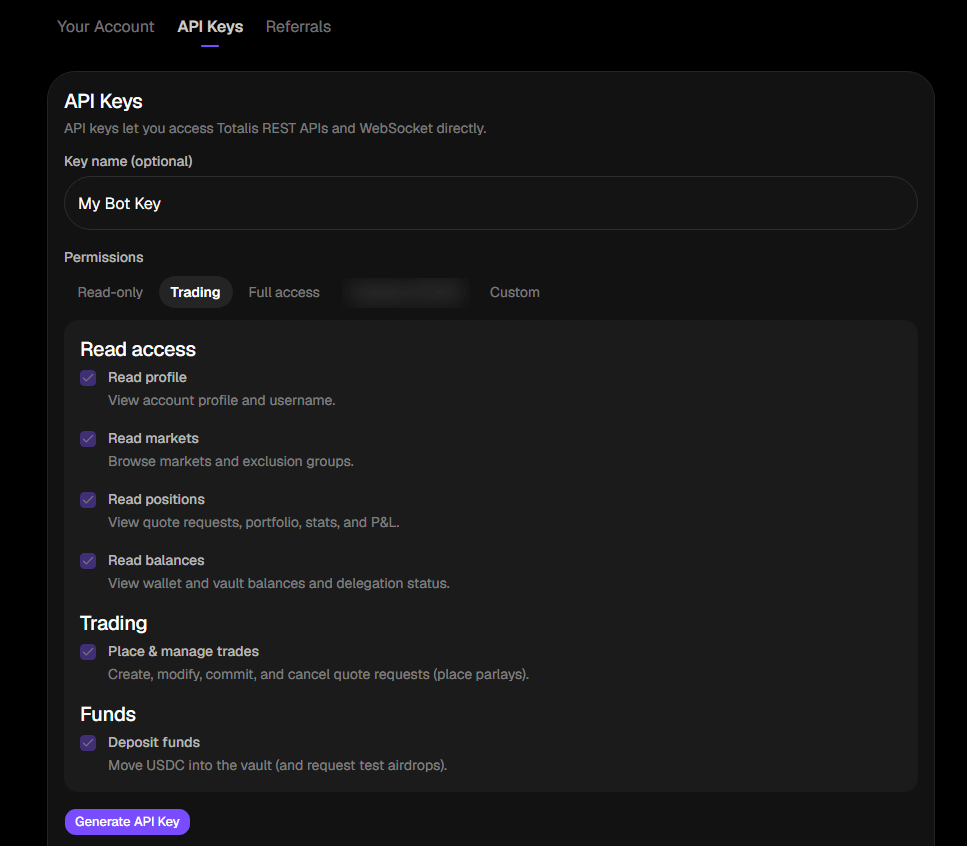
The key form in the app, shown with the Trading preset. Pick Read-only for a first key.
3. Make your first authenticated call
Every request tohttps://api.totalis.trade carries your key in the X-API-Key header. Confirm it
works by reading your profile:
data envelope.
4. Read your account
Pull your balances, open positions, and stats in one call:5. Before you can trade
Reads work as soon as your key does. Placing a parlay needs two more things:1
USDC in your wallet
Send native Solana USDC to the address from
GET /v1/wallet. When you place a parlay, the stake moves
into your on-chain vault by itself. See Funding.2
Trading enabled
A one time consent in the app that lets Totalis sign trades on your behalf. You cannot do this
from the REST API. Check the current state with
GET /v1/wallet/delegation-status.Next steps
How parlays work
The full path from quote request to settlement.
Limits and fees
Bet range, leg counts, timing windows, and both fees.
Reading your data
Positions, history, settlement outcomes, and P&L.
Glossary
Every field name and unit convention, defined once.